See what is happening across your inventory.
LotRanger inventory analysis and reports help dealers understand what is in stock, what needs attention, and where opportunities may be hiding.
The challenge
If you cannot see it, you cannot fix it.
Vehicles age quietly. Listings sit incomplete. Tasks stall in the shop. Without visibility, owners and managers find out about these problems weeks late - usually when the money is already lost. Reporting here is not about reports for the sake of reports. It is about seeing issues while there is still time to act.
How LotRanger helps
Practical answers to practical questions
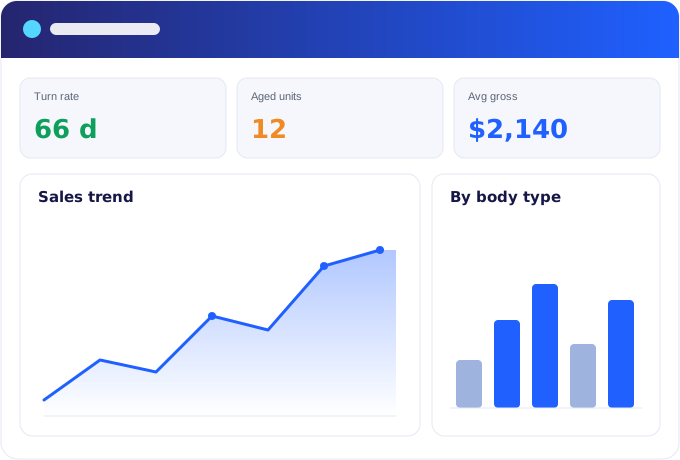
Reports should help a dealer answer the practical questions: What do we have? What is ready? What is missing? What is sitting too long? What needs action today? LotRanger reporting is built around those questions, using the inventory, task, and sales information already in the system.
What's included
What inventory analysis and reports cover
- Inventory overview
- Aging inventory
- Missing photos and incomplete listings
- Pricing review opportunities
- Vehicle status visibility
- Reconditioning and task status
- Listing readiness
- Sold and performance reporting where applicable
- Group and multi-location visibility where applicable
- Owners and managers see issues faster
How it works
A Monday morning inventory review
01
Open the inventory overview to see what is in stock and its status
02
Check aging inventory to spot vehicles sitting too long
03
Review missing photos and incomplete listings holding vehicles back
04
Flag pricing review opportunities with OrbitIQ
05
Assign the tasks that need action today
Common questions
Reporting questions
What kinds of reports does LotRanger include?
Inventory overview, aging inventory, missing photos and incomplete listings, pricing review opportunities, vehicle status, reconditioning and task status, listing readiness, and sold or performance reporting where applicable.
Can owners see across multiple locations?
Group and multi-location visibility is supported where applicable, so owners and managers can see what is happening across lots.
Do reports need separate data entry?
No. Reports work from the inventory, photo, task, and sales information your team already manages inside LotRanger.
How do reports connect with pricing?
Aging and pricing review reports work alongside the OrbitIQ vehicle pricing analyzer, so vehicles that need a pricing look get one with market context.